
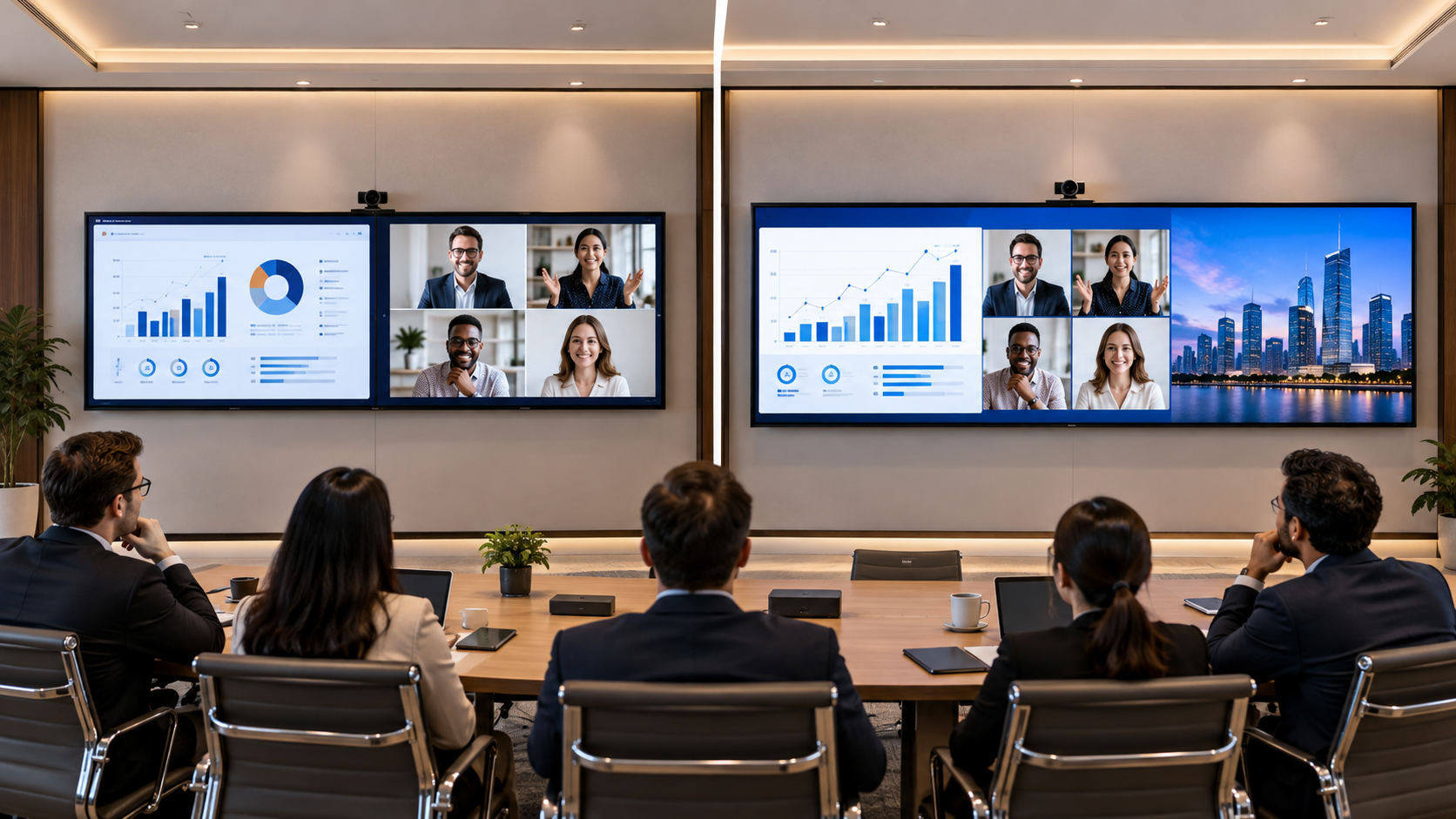
 With the evolution of conference rooms over recent years, a simple projector and TV setup will no longer be sufficient to meet the needs of your business. Most meetings will include presentations, spreadsheets, video calls, dashboards and multiple sources of information.
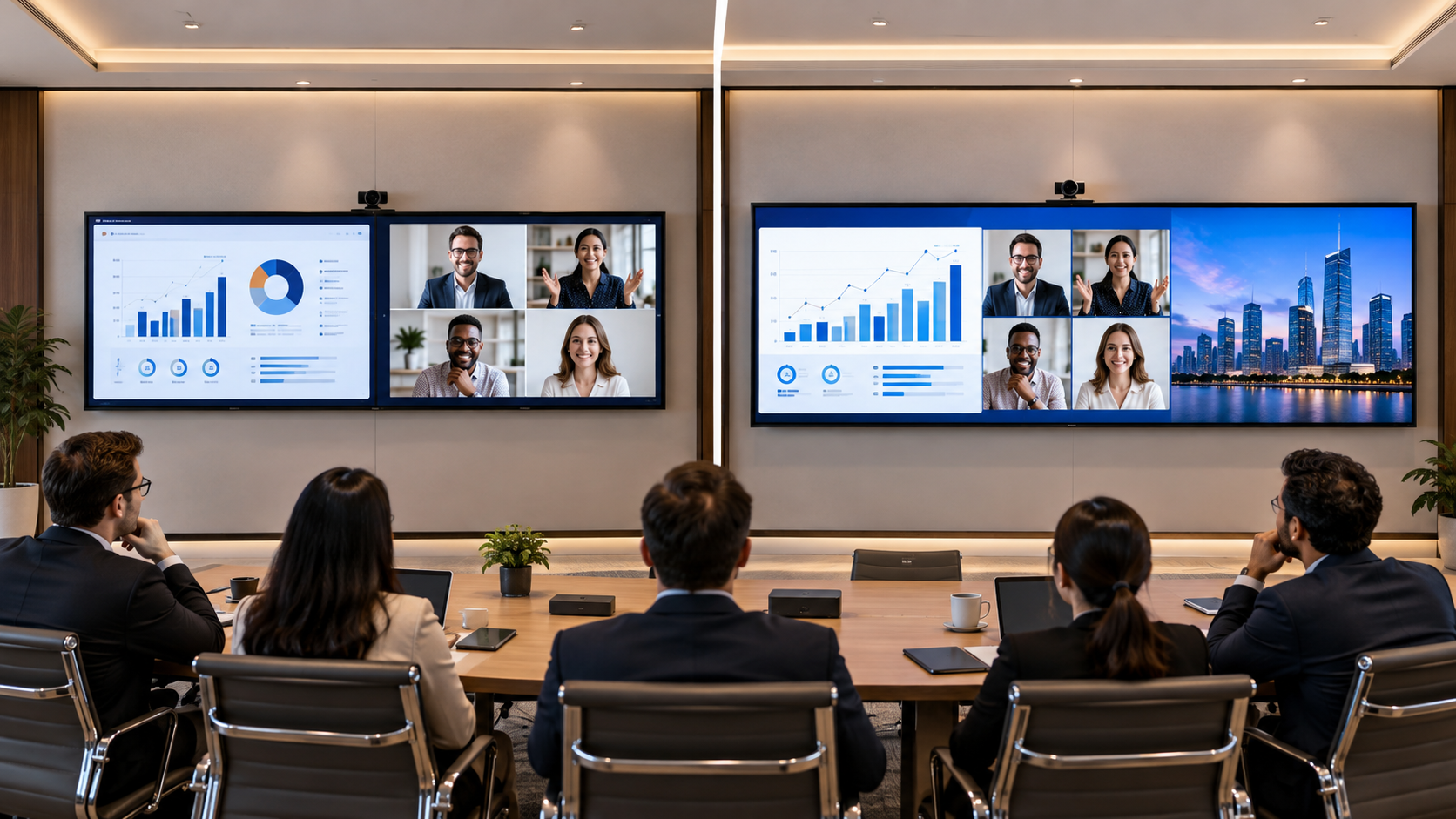
Can we replace two screens with just one?
Using the Samsung QPDX-5K, you can enjoy a large 105inch screen with an ultra-wide 21:9 aspect ratio and 5K resolution.
However, it will depend on how you set up your conference room, what your team need to show and how they will use it.
Why Are Businesses Choosing One Large Screen?
In traditional conference rooms you may have two displays. One to show your presentation and one to show video calls, documents or extra information.
Whilst this can all work it can cause a few issues.
Issues with having two screens include;
-
More work in installation – Two screens require extra mounting, powering and cabling.
-
Different brightness, colours and resolution.
-
More complicated control – Having two screens can cause some disruption whilst switching between.
-
Extra space needed on your wall – Two screens need to be positioned correctly.
-
You may need extra kit.
Instead, you can use a single 105-inch commercial display.
Can I Replace Two Screens with a 105-inch Display?
Yes, in many cases you can. However, it all depends on why you need two screens.
With a large ultra-wide display, you will have enough space to show different types of information. This makes it ideal for any meetings where you will be switching between presentations, documents and video calls.
For example, if you’re having a business review meeting.
Your team will need to see revenue, performance charts and talk to a remote department. With a single screen you can see everything you need in one place. As long as your information is set up in the correct way and you have the correct system.
A 105-inch screen can be used for;
-
Presentations and extra information.
-
Video calls and meeting information.
-
Financial dashboards and business reports.
-
Product demonstrations and comparisons.
-
Training and collaboration.
-
Documents and visual data with larger teams.
However, it is worth checking the multi-window capabilities of the screen, along with what devices you can connect and what software you can use.
What is Special About the Samsung QPDX-5K?
The Samsung QPDX-5K has an ultra-wide display.
Instead of using the traditional 16:9 aspect ratio, it uses a 21:9 ratio. This gives an extra width to enable you to see more information.
Important features include;
105-inch screen
A larger screen makes it easier to view presentations, charts and visual information in your planned conference room.
21:9 Ultra Wide Aspect Ratio
Having a larger screen provides more working space horizontally. This can help if you need to set up information side by side and video calls.
5K Resolution
Provides a detailed visual display.
Professional display
The Samsung QPDX-5K has been designed to be used professionally.
All of these features mean that the 105-inch Samsung screen could be a great option for your business to create a modern meeting room.
Should I Choose Two Screens or One Display?
There are benefits to both options. It will depend on how often your staff will need to use two different sources of information.
Two Screens vs One 105-inch Screen
| Feature | Two Screens | One 105-inch Screen |
|---|---|---|
| Installation | Two screens. | One large screen. |
| Display | Two separate screens. | Ultra wide. |
| Information | Two separate displays. | Multiple layouts (if supported). |
| Wall Space | Two screens. | One large screen. |
| Cabling | May require more cabling. | Potentially an easier set up. |
| Meeting Experience | Participants need to look between screens. | A more unified view. |
| Flexibility | Two screens. | Dependent on what features the display and software has. |
Two screens may be better if;
-
You frequently need two completely separate screens.
-
Participants need separate information.
-
Your current software works best with two screens.
-
You need the screens to be in different orientations.
A single large screen may be better if;
-
You’re having presentations and video calls.
-
You want a more clean and unified meeting room.
-
You frequently need to compare documents, charts and visual information.
-
You want fewer screens.
-
Your conference room allows a large screen.
How Much Space Will I Need for a 105-inch Screen?
One of the most important things to consider before buying a large screen is how much space you will need.
A 105-inch screen is much wider than a standard TV. The diagonal measurement doesn’t tell you how much space you will actually need.
The approximate measurements for a 105-inch screen with a 21:9 aspect ratio would be;
-
Width – 96.6 inches (245.4cm).
-
Height – 41.4 inches (105.2cm).
-
Diagonal – 105 inches (266.7cm).
These are approximate measurements for the active screen only. Depending on the bezel, mounting and any space you need, the actual space required may vary.
Before you install your screen you will need to consider;
-
How much space you have on your wall.
-
How far away the screen is from participants.
-
What seating you have.
-
How high you will mount the screen.
-
Power requirements.
-
Camera space.
A professional site survey can help avoid any issues when installing.
Will a 105-inch Screen Improve My ROI?
You shouldn’t invest in a large screen just because it looks good. Business owners will need to consider how the screen can add value to your business.
A well planned 105-inch commercial display can help;
-
Give an improved presentation – Your team can present detailed reports, product visuals and business proposals.
-
Improved collaboration – All participants can view information.
-
A clean meeting room – You may have fewer screens.
-
Improved client meetings – A professional visual display makes it easier to demonstrate products and present.
-
Flexible – It can be used for different meeting requirements depending on what you connect and what software you have.
When calculating ROI, consider how much the total cost of ownership will be. This includes installation, mounting, connecting, maintenance, electricity and the equipment needed to run your meetings.
The real value will depend on how often you use the screen and if it helps solve a problem.
What Should I Consider Before Replacing Two Screens?
Before choosing the Samsung QPDX-5K you should consider;
-
What do you need? – Do you need two separate screens or more screen space?
-
Software – Does your conferencing and presentation software work with the layouts?
-
Connecting – Can you connect your laptops, video calling systems etc?
-
Room size – How much space do you have on your wall? How far away are participants?
-
Installation – Do you have the mounting, powering and cabling?
-
Budget – How much will the full installation cost? How much does your current set up cost?
This will help to ensure it meets your business needs and isn’t an expensive upgrade that won’t get used.
Final Thoughts – Can I Use One 105-inch Screen?
In many cases you can use a single 105-inch commercial screen to replace two screens. If you mainly need to show multiple types of information then this is a great option.
The Samsung QPDX-5K is a great option with a 105-inch screen, ultra-wide 21:9 aspect ratio and 5K resolution.
However, it really depends on what you need, room size, compatibility and investment.
If you need two completely separate screens then it may be better to keep two screens. However, if you want a clean meeting environment with a wider screen for presentations and collaboration then definitely consider it.
If you’re looking into professional displays for your business, Vishwanath Traders can help you find the right displays for your conference room. We can take into account the size, requirements and installation.